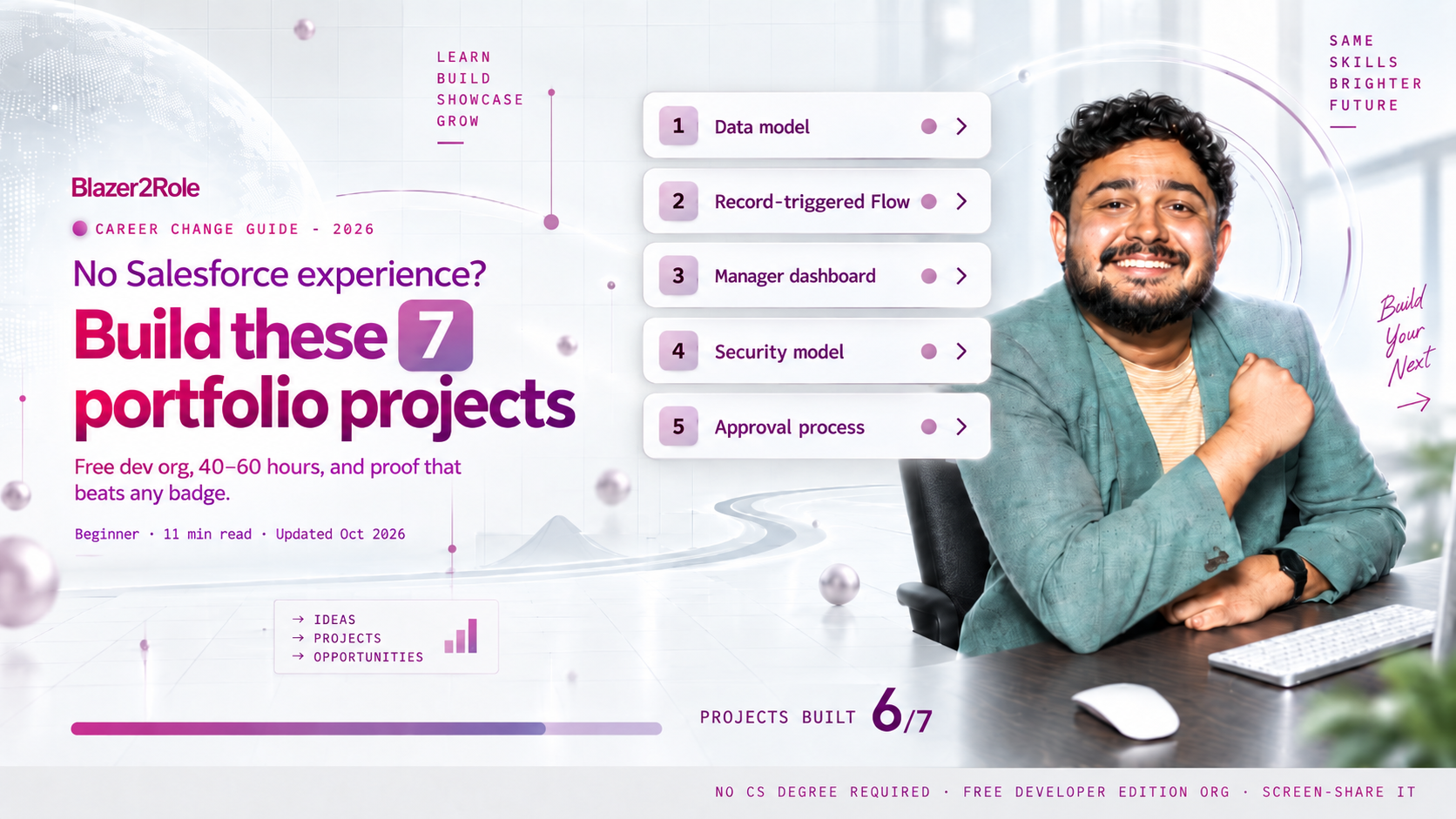
No Salesforce Experience? Build These 7 Portfolio Projects
- No computer science degree required
- Built for 3+ years of professional experience
- Instructor holds 10 industry certifications
"Requires 2+ years of Salesforce experience." You have zero. Every career changer hits this wall, and most people respond by collecting more badges. That does not work, because a badge proves you read something. A hiring manager wants proof you built something. This guide gives you seven projects you can build in a free Developer Edition org, in order, each one chosen because it answers a specific question interviewers ask. Finish them and you walk into interviews with a portfolio instead of an apology. If you are still choosing a target role, read Salesforce Admin vs Business Analyst first, because projects 3 and 6 lean toward one or the other.
Build these in order in a free dev org: a data model for a real business, a record-triggered Flow, a dashboard a manager would use, a security model with permission sets, a two-step approval process, a data migration with a cleanup log, and a one-page portfolio site that links to all six. Total time is 40 to 60 hours. Together they answer every "but do you have experience?" question with "here, let me show you."
In this guide
- Why projects beat badges
- Setup: your free dev org (20 minutes)
- Project 1: Data model for a real business
- Project 2: Record-triggered Flow
- Project 3: Manager dashboard
- Project 4: Security model
- Project 5: Approval process with email alerts
- Project 6: Data migration with cleanup log
- Project 7: Portfolio page
- How to put these on a resume
- Questions people ask
Why projects beat badges
Trailhead badges are table stakes; thousands of candidates have them. A project is different in three ways. It shows judgment (you chose what to build and why), it survives questioning (an interviewer can ask "why a Flow instead of a validation rule?" and you have an answer), and it gives you stories for the behavioral questions that decide most interviews. Our members who land roles fastest are not the ones with the most badges. They are the ones who can screen-share.
One rule for all seven: pick one fictional business and use it for everything. A regional gym chain, a nonprofit food bank, a small solar installer. Every project then builds on the last, and your portfolio reads like one org instead of seven disconnected exercises.
Setup: your free dev org (20 minutes)
- Sign up for a free Salesforce Developer Edition org. It never expires as long as you log in occasionally.
- Create a free GitHub account for screenshots and notes, or a Notion page. This becomes Project 7.
- Decide on your fictional business and write three sentences about it. You will reuse those sentences in every interview.
Project 1: Data model for a real business (4–6 hours)
What you build: three to five custom objects with relationships that reflect how your fictional business actually works. For a gym: Membership, Class, Trainer, Attendance. Lookups where the relationship is optional, master-detail where it is not. Page layouts for each. At least one formula field and one roll-up summary.
What it proves: you can translate a business into objects and fields, which is the first thing any admin does on day one.
Interview question it answers: "Walk me through how you would model X." You have done it. Draw it on the whiteboard from memory.
Common mistake: building twelve objects. Five well-related objects beat twelve disconnected ones.
Project 2: Record-triggered Flow (4–6 hours)
What you build: one before-save Flow that updates a field (set a membership status when the end date passes) and one after-save Flow that creates a related record and sends an email (new member joins, create a welcome task for the trainer, email the member). Include a decision element and a fault path.
What it proves: you understand automation, the before/after-save distinction, and error handling. This is the single most-asked technical area in admin interviews.
Interview question it answers: "When would you use a before-save versus an after-save Flow?" and "How do you handle a Flow failing?"
Common mistake: no fault path. Every interviewer looks for it.

Project 3: Manager dashboard (3–4 hours)
What you build: four to six reports (one summary, one matrix, one with a cross filter, one with a bucket field) and a dashboard built for one specific person: the gym's general manager. Name the dashboard after the decision it supports, not the data it shows: "Weekly Retention Review," not "Membership Dashboard."
What it proves: you think about who reads the data and what they do with it. Most junior candidates can make a report; few can make one someone wants.
Interview question it answers: "Tell me about a report or dashboard you built and who used it."
Project 4: Security model (4–5 hours)
What you build: set org-wide defaults to Private on your main objects, build a role hierarchy (front desk, trainer, manager, owner), create three permission sets and one permission set group, and write one sharing rule for a cross-team exception. Then create three test users and log in as each to prove the model works. Screenshot what each one can and cannot see.
What it proves: you understand the thing that keeps admins employed. Security questions are where most career changers fall apart because they have only read about it.
Interview question it answers: "How would you set up sharing so reps see only their own records but managers see everything?" and "Profile versus permission set?"
Common mistake: skipping the "log in as" step. The screenshots are the proof.
Project 5: Approval process with email alerts (4–6 hours)
What you build: one approval process for something your fictional business actually approves: a membership discount over 20 percent, a refund, a free trial extension. Include an entry criteria, a two-step approval chain (manager, then owner, only if the amount is above a threshold), a field update on approval, an email alert on rejection, and a record lock while pending. Submit three test records as a front-desk user and approve or reject them as the manager.
What it proves: you can build a governed process with rules, not just a form. Approval processes show up in nearly every real org and almost never in beginner portfolios, so this one stands out.
Interview question it answers: "Tell me about a process you automated end to end" and "How would you stop someone from editing a record while it is under review?" You also get a clean story for the behavioral question about working with stakeholders, because you had to decide who approves what.
Common mistake: one approver, no threshold. The two-step chain with a conditional second step is what makes an interviewer lean forward.

Project 6: Data migration with cleanup log (4–6 hours)
What you build: a spreadsheet of 200 messy fictional records (duplicates, inconsistent states, missing emails, bad dates). Clean it, document every rule you applied in a one-page log, then load it with Data Import Wizard or Data Loader. Run a duplicate rule afterward and show the result.
What it proves: you can handle the least glamorous and most common admin task without breaking the org. The cleanup log is what hiring managers actually read, because it shows how you think.
Interview question it answers: "Tell me about a time you dealt with bad data." If you came from operations, retail, or healthcare admin, connect this to your old job. You have done this before, just not in Salesforce. Transferable skills for tech jobs covers how to frame that.
Project 7: Portfolio page (3–4 hours)
What you build: one page (GitHub README, Notion, or a free site builder) with your three-sentence business description at the top, then one section per project: a screenshot, two or three sentences on what you built, one sentence on what you would do differently. Link your approval-process screenshots. Put the URL on your resume and LinkedIn.
What it proves: you can communicate technical work to a non-technical reader, which is half the admin job.
Common mistake: a wall of screenshots with no explanation. The sentences matter more than the pictures.
How to put these on a resume
Do not list them as "Projects" at the bottom. Create a section called Salesforce Experience (Independent) directly under your work history and write each as a bullet with a result:
- "Built a 5-object data model, record-triggered automation, and role-based security model for a fictional 3-location gym in a Salesforce Developer Edition org; documented in a public portfolio."
- "Built a two-step conditional approval process with record locking, field updates, and rejection alerts; tested across 3 user roles."
- "Cleaned and migrated 200 records with a documented rule set; post-load duplicate rate 0%."
Those three bullets, plus the Administrator certification, are what gets a zero-experience resume past the first screen. For the interview that follows, 15 Salesforce admin interview questions for 2026 maps each project to the questions it answers.
Questions people ask
Do I need the Administrator certification before building these?
No. Build projects 1 through 4 while studying for it; they cover most of the exam content. Take the exam, then build 5 through 7.
How long does the whole portfolio take?
40 to 60 hours. At 8 hours a week, six to eight weeks. Most members finish it alongside the Administrator study schedule in how long it takes to get Salesforce certified.
Should I add an Agentforce project too?
Yes, once these seven are done. Building an agent is the next step and carries a pay premium in 2026; the Agentforce Specialist certification guide covers what to build and how the exam tests it.
Can I use a real business instead of a fictional one?
Yes, and it is better. A local nonprofit or a friend's small business gives you a real stakeholder and a reference. Just get written permission before you put their data in a screenshot.
Should I show the portfolio in the interview?
Offer to. "I built the approval flow for this; want me to share my screen for two minutes?" Most interviewers say yes, and it changes the conversation.
What if I only have time for three projects?
Do 2, 4, and 5: Flow, security, and the approval process. Those three answer the most interview questions per hour spent.
Want the project checklist with screenshots of each finished build? It is inside the free Blazer2Role roadmap. Grab it and pick your target role this week.