Profiles vs Permission Sets Explained
- No computer science degree required
- Built for 3+ years of professional experience
- Salesforce exam fee never bundled into a tier
This is the topic that separates people who memorized flashcards from people who understand the platform. Profiles and permission sets both grant access, both live in Setup, and most study guides explain them with a sentence that sounds right and teaches nothing. Worse, a lot of the advice online is now out of date, because Salesforce spent three years telling everyone profiles were being retired and then reversed course. Here is what each one actually does, what changed in 2026, and how to answer the question the way an interviewer wants to hear it. If you are earlier in the journey, start with which Salesforce certification to take first.
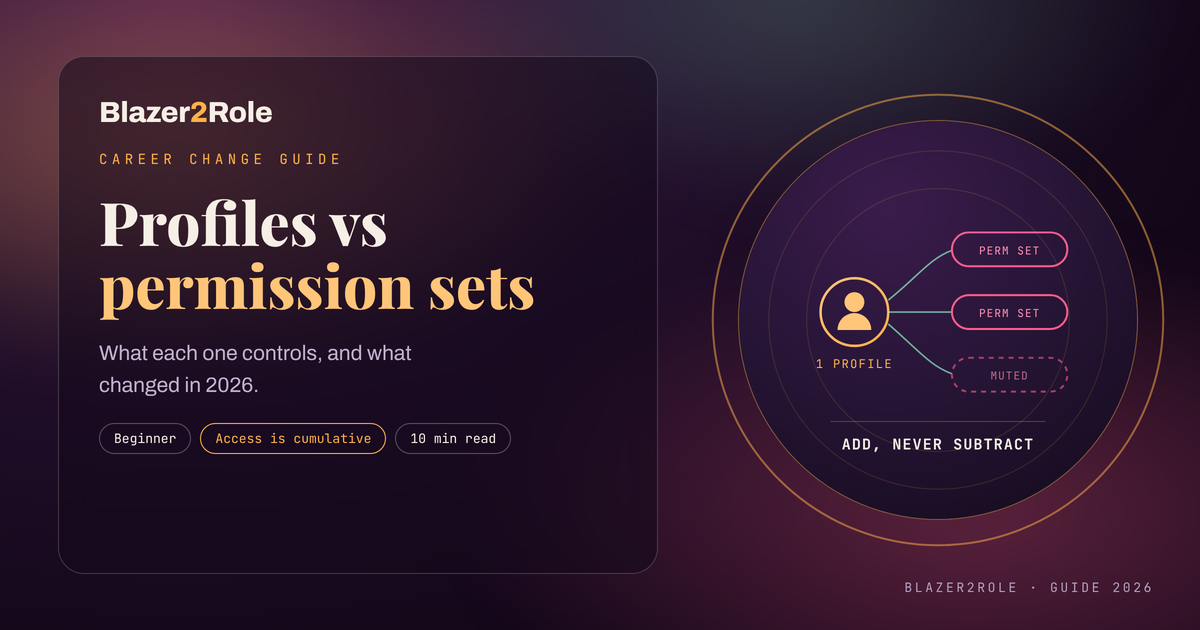
A profile is the baseline every user must have, and each user gets exactly one. Permission sets are add ons that grant extra access on top, and a user can hold many. Profiles are not being retired after all, which means half the advice written since 2023 is now wrong.
In this guide
- What each one actually controls
- The retirement that was cancelled
- How to decide which one to use
- How to practice this before an interview
- Questions people ask
What each one actually controls
Start with the rule that makes everything else make sense. A profile is required and exclusive. A permission set is optional and additive. Access in Salesforce is cumulative, so a permission set can only give a user more than the profile already allows, never less.
- Profile, one per user: Object permissions, field level security, app and tab access, record type access, system permissions such as Modify All Data and API Enabled, login hours, login IP ranges, page layout assignment, and the user's defaults, per the 2026 roles and profiles guide published by DESelect.
- Permission set, many per user: The same grant types layered on top. Extra object and field rights, app and tab visibility, record types, Apex class and Visualforce page access, connected apps, and custom permissions.
- Permission set group: A bundle of several permission sets assigned as one package. It can also mute a specific permission inside the group, which is the only common way to subtract rather than add.
- Role, a different axis entirely: Roles decide which records a user can see, sitting on top of organization wide defaults. Profiles and permission sets decide what a user can do with an object or field. Mixing these two ideas is the single most common interview mistake.
A practical way to hold it: the profile answers "what does every person in this job need on day one", and the permission set answers "what does this particular person also need". Granting a sales rep the standard sales baseline is profile work. Giving one rep on that team the ability to run a specific report type for a quarter is permission set work, because you can unassign it later without touching anyone else.
The retirement that was cancelled
If you have read older posts telling you profiles are on the way out, that advice has a history worth knowing, because it still comes up in interviews.
- January 2023: Salesforce announced it would retire permissions stored on profiles and move customers to a permission set led model, targeting the Spring 2026 release, per reporting from Salesforce Ben.
- 2024: Salesforce softened the stance and the Spring 2026 date stopped being mandatory, while the permission set recommendation stayed in place.
- July 2026: Multiple practitioner reports confirmed Salesforce rescinded the plan entirely. Profiles continue to support permissions and there is no mandatory end of life date, with migration effort in large orgs and remaining feature gaps cited as the reasons.

Here is the concession, and it is a useful one to say out loud in an interview. The cancellation does not mean the old model won. Salesforce still recommends permission sets, permission set groups, and user access policies for anything access related, and still points profiles at baseline configuration such as default apps, default record types, page layout assignment, login hours, and password and session settings. Page layout assignment in particular is staying on profiles because Salesforce is investing in App Builder and Dynamic Forms instead, per Salesforce Ben. So the deadline disappeared. The direction did not.
How to decide which one to use
Most orgs get into trouble the same way. Someone needs access, the fastest fix is to clone a profile, and two years later there are forty profiles nobody can audit. The permission set led model exists to stop that, and the reasoning is easy to explain.
- Start from minimum access: Use the Minimum Access Salesforce profile as the base where your licences allow it, then build a small set of function based profiles such as sales, service, and marketing. The 2026 DESelect guide suggests aiming for roughly three to six profiles for non admin business users.
- Grant the exceptions with permission sets: Anything that applies to some people in a job but not all of them belongs in a permission set, because you can assign and unassign it without a cloned profile.
- Bundle with permission set groups: When a job needs six permission sets, group them so onboarding is one assignment instead of six, and use muting for the rare case where a group grants something that one team should not have.
- Review on a schedule: That same guide recommends quarterly or twice yearly access reviews for admins and power users, which is also the kind of detail that makes a junior candidate sound senior.
The honest counterweight: a permission set led model means more objects to keep track of, and a twelve person org can absolutely drown in it. If you are describing this to an interviewer, say that the model scales well and costs you overhead on day one. That tradeoff is real, and pretending it is not is how people get caught out in a technical round. The same calibration comes up across the role, which is part of why we compared it with the analysis track in Salesforce admin vs business analyst.
How to practice this before an interview
Reading about access control does not stick. Configuring it does, and a free developer org gives you everything you need to build a story you can tell.
- Build the scenario, not the setting: Create three users in one developer org, give them a shared minimum access profile, and then differentiate them entirely with permission sets.
- Break it on purpose: Remove a permission from the profile that a permission set also grants, then log in as the user and see what still works. Cumulative access stops being abstract the moment you watch it happen.
- Write down the before and after: Two sentences per change. This is the raw material for both your portfolio and your interview answers.

A short sequence that fits in a weekend:
- Spin up a developer org and create three users on the Minimum Access Salesforce profile.
- Build one permission set per job function and assign them so each user ends up with different access.
- Bundle two of those sets into a permission set group, then mute one permission inside it and confirm the effect by logging in as that user.
- Write a one page summary of what you built and why, and keep it where you can paste it into an application.
That summary is portfolio material, which is the thing most career changers are missing rather than another certificate. We walk through more of those builds in Salesforce portfolio projects with no experience, and this exact topic shows up in Salesforce admin interview questions.
Blazer2Role sells the coaching and courses described here. We do not guarantee job placement. What we do is give you the scenarios to build and a reviewer who tells you when an answer is vague, which is usually the gap between knowing this material and being able to say it under pressure. The Salesforce exam fee is paid directly to Salesforce and is not included in any tier. Questions before you buy can go to support@blazer2role.com.
Questions people ask
What is the difference between a profile and a permission set in Salesforce?
A profile is the mandatory baseline and each user has exactly one. A permission set is optional and additive, and a user can hold many. Access is cumulative, so a permission set only ever grants more than the profile allows. Profiles also carry settings permission sets do not, including login hours, login IP ranges, and page layout assignment.
Are Salesforce profiles being retired?
No. Salesforce announced in January 2023 that permissions on profiles would retire around Spring 2026, softened that in 2024, then rescinded the plan entirely, with practitioner reports in July 2026 confirming there is no mandatory end of life date. Profiles continue to support permissions. Salesforce still recommends a permission set led model for anything access related.
Can a permission set remove access that a profile grants?
Not directly. Salesforce access is cumulative, so permission sets only add. The exception is a permission set group, which can mute a specific permission so that a set inside the group stops granting it. If you need to take something away broadly, you change the profile or the field level security rather than reaching for a permission set.
How many permission sets can a user have?
Many. There is no practical cap for ordinary admin work, which is the whole reason the permission set model scales better than cloning profiles. A user still has exactly one profile. If assignment is getting unwieldy, that is the signal to bundle related sets into a permission set group instead of assigning them individually.
What is the difference between a role and a profile?
They answer different questions. A profile and its permission sets decide what a user can do with an object or field. A role decides which records the user can see, working on top of the organization wide defaults and the role hierarchy. A user can have one profile and one role, and the two are configured in completely separate places.
When should I use a permission set instead of a profile?
Whenever the access applies to some people in a job rather than all of them, or when it is temporary. Cloning a profile for one exception is what produces orgs with forty unauditable profiles. The common target is a small set of function based profiles, often three to six for business users, with everything else granted through permission sets.
Is this on the Salesforce Administrator exam?
Yes, and it is a reliable source of questions in the user setup and security sections. Expect scenario wording rather than definitions, such as which tool to use when one person on a team needs an extra permission. Knowing that access is cumulative, and that only a permission set group can mute, covers most of what gets asked. Timelines vary, so see how long it takes to get Salesforce certified.
Want to practice this in a real org instead of memorizing it? Our courses walk you through building the user setup, permission sets, and access reviews that interviewers actually ask about, with feedback on how you explain them. Browse what is covered on the courses page.